Case StudyQuality Assurance Platform
Standardizing an enterprise test management platform for onboarding and scale.
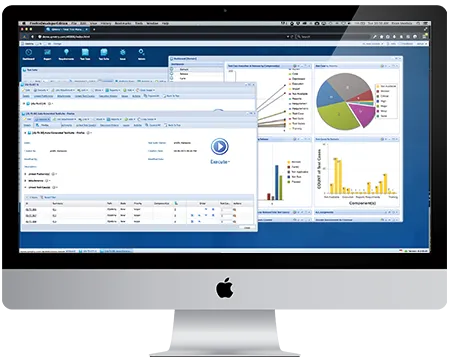
QMetry is designed to test literally anything. The challenge was standardizing its primary flows and onboarding new users — accounting for product-specific patterns while conforming to desktop conventions familiar enough to keep users productive.
TL;DR
Standardizing workflows and onboarding for an enterprise test management platform.
- Standardized QMetry's primary workflows (v6) to improve onboarding, usability, and cross-platform integrations (e.g. JIRA)
- Conducted competitive analysis, usability testing, and rapid prototyping to identify and resolve key UX issues
- Designed interactive data visualizations and onboarding content to lower cognitive load and boost user productivity
- Successfully launched QMetry 6 with strong customer adoption and alignment to future product roadmap
Background
QMetry is an enterprise test management platform. It started as a standalone tool to help QA teams manage manual testing, then expanded to support test automation and enterprise-scale quality management. It offers deep integrations with tools like Jira, Selenium, Jenkins, and CI/CD pipelines.
Problem
QMetry is designed to be able to test literally anything. The main challenge was standardizing the primary flows and helping onboard new users. This meant accounting for all product-specific patterns and conducting a competitive analysis of other QA software, all while conforming to desktop conventions so the user's experience was positive and familiar enough to be productive.
Solution
During my analysis I identified and solved several usability problems, resulting in the following solutions:
- Ensured consistency of the primary flows of the latest version (v6)
- Designed new features so QMetry was better able to accept any testing platforms
- Integration with other platforms (i.e. JIRA)
- Created user onboarding help text
Process — Step 1
Brainstorming & sketching
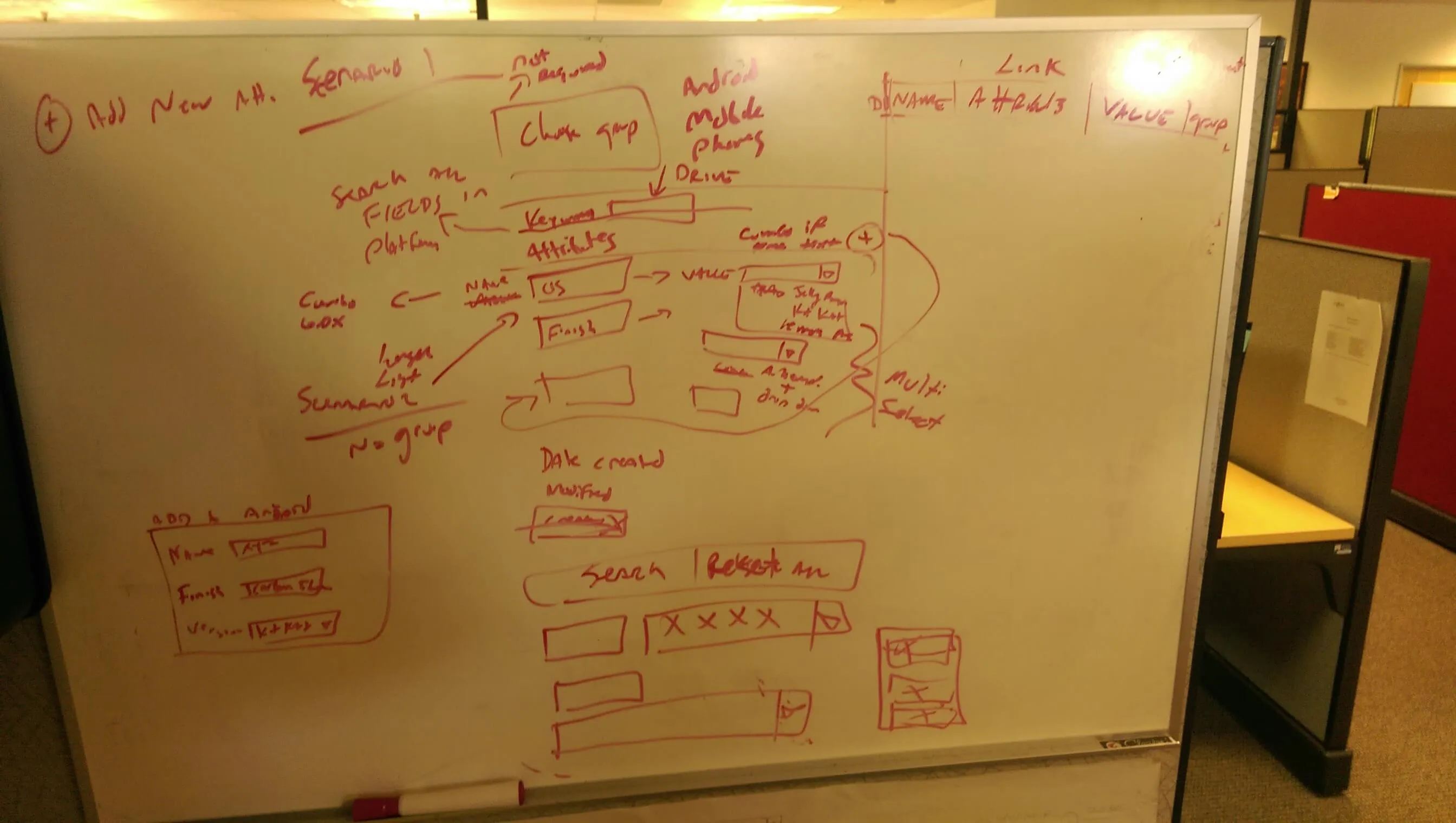
I conducted regular design sessions and often brainstormed and sketched as part of my process. In this sketch, I'm working out a primary flow that lets users input their device features and requirements into the system prior to executing automated tests.
Process — Step 2
Feedback
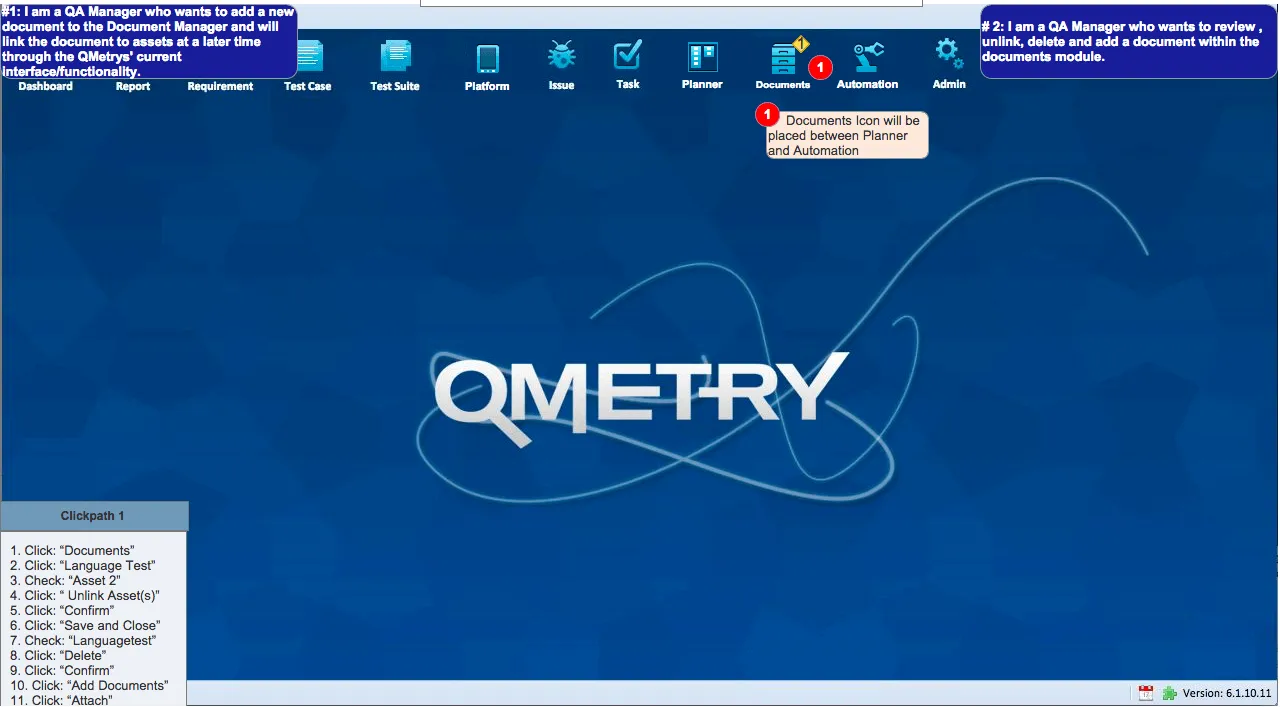
Once I solidified the design of a feature and its click path, I worked with QMetry's Product Manager and iterated accordingly, incorporating rapid prototyping into my workflow to best support the team. Since most of QMetry's visual design was already specified, I was able to create high-fidelity mockups quickly.
Process — Step 3
User testing
When high-level features were being designed, I conducted on-site usability sessions with QA professionals. We measured the usability heuristics and completion rate for each task presented to users.
Process — Step 4
Interaction design
A key method of enhancing user productivity was building out interactions in features, particularly data visualizations. Visual displays of information became interactive, and the design patterns fell within standard desktop conventions. We found this kept users' mental load low, helping them concentrate on other factors and speeding up their daily workflow.
End Result
QMetry 6 had a successful launch and continues to have strong features that customers have found useful. Customer feature requests were in line with our roadmap for the next release. As many of the big features were resolved, I became more focused on client projects until engineers upgraded the framework to support Sass — at that point, I started theming different versions of the product based on specific use cases.